
AI video generation is booming in 2026, and tools like Seedance 2.0 are leading the charge. However, pricing plays a critical role in determining whether these tools are sustainable for long-term use. Unlike traditional video editing software, AI tools charge based on usage, making it essential to understand how costs scale.
For creators, marketers, and businesses, the balance between cost, quality, and output volume directly impacts profitability and productivity.
In this guide, you’ll get a clear understanding of how Seedance 2.0 pricing works, including a detailed breakdown of its plans and features. We’ll explore real-world cost examples to show what you can expect to pay, compare it with top competitors, and help you decide whether Seedance 2.0 is truly worth your investment in 2026.
If you want to learn Seedance 2.0 Complete Guide: Features, Pricing & Tutorial, this guide will help you understand everything step by step in a simple way.
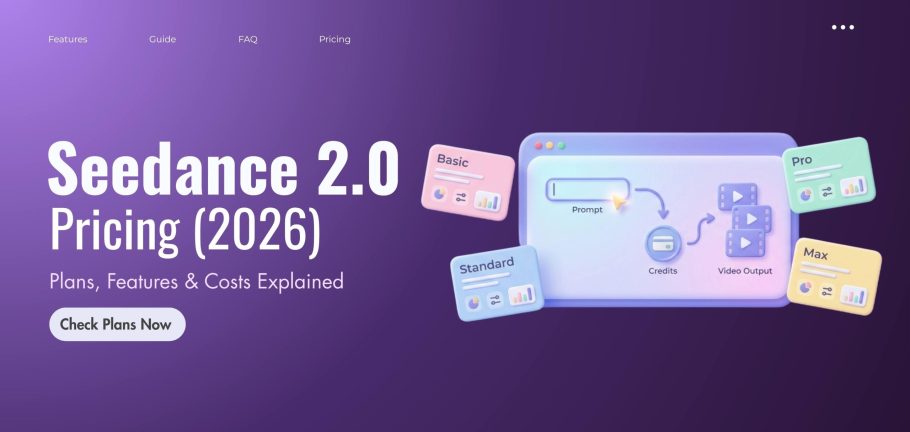
Seedance 2.0 works on a credit-based system, which means you don’t pay a fixed monthly fee for unlimited use. Instead, you use credits every time you create a video. You can buy credits or receive them with a plan, and then spend them based on how much you use the tool. If you run out, you can simply add more. The number of credits a video uses depends on a few simple things:
- Longer videos cost more
- Higher quality (like 1080p or 4K) costs more than lower quality
- Advanced features use more credits
- Better visuals increase cost
The main benefit of this system is flexibility. You only pay for what you actually use, so there’s no wasted money on unused subscriptions. It also works well for people who want to scale their content production. However, if you use the tool frequently or create high-quality videos, your costs can increase, so it’s important to keep track of your credits.
Seedance 2.0 offers flexible pricing with monthly plans and one-time credit packs, making it suitable for beginners, creators, and teams based on their usage and budget.
Free Access – Is There a Free Plan?
Seedance 2.0 does not offer a full free plan, but some users may get limited trial access to test basic features. For real usage, you will need a paid plan or a credit pack.
Monthly Subscription Plans
Seedance 2.0 offers four main monthly plans designed for different types of users, from beginners to heavy users.
| Plan | Price (Monthly) | Credits | Best For | Key Features |
|---|---|---|---|---|
| Basic | $29.90 | 1000 | Beginners | Standard speed, no watermark |
| Standard | $49.90 | 2000 | Regular users | Faster generation, priority access |
| Pro | $99.90 | 5000 | Power users | Fast speed, higher usage |
| Max | $199.90 | 11000 | Heavy users | Maximum speed, full features |
The Basic plan is a great starting point if you’re new. As your usage grows, upgrading to Standard or Pro gives you more credits and faster performance. The Max plan is best for teams or users with high production needs.
One-Time Credit Packs
If you don’t want a monthly subscription, Seedance 2.0 also provides one-time credit packs. These are perfect for users who prefer flexibility, and the credits never expire.
| Pack | Price | Credits | Best For | Notes |
|---|---|---|---|---|
| Starter Pack | $39.90 | 1200 | Occasional use | Credits never expire |
| Creator Pack | $79.90 | 3200 | Content creators | Balanced option |
| Professional Pack | $199.90 | 10000 | Advanced users | High usage |
| Max Pack | $999.90 | 60000 | Teams/Agencies | Best value per credit |
These packs are especially useful if you don’t create videos regularly but still want access when needed.
All Seedance 2.0 paid plans include core AI video tools such as video and image generation, commercial usage rights, and private creation options. As you move to higher plans, you also get faster processing speeds, increased credit limits, priority access to the system, and improved overall performance. Higher tiers also unlock more advanced AI models and better support for heavy workloads.
Features Breakdown by Plan
| Features | Basic | Standard | Pro | Max |
|---|---|---|---|---|
| Price | $29.90/month | $49.90/month | $99.90/month | $199.90/month |
| Monthly Credits | 1000 | 2000 | 5000 | 11000 |
| AI Video Generation | Yes | Yes | Yes | Yes |
| AI Image Generation | Yes | Yes | Yes | Yes |
| Watermark Removal | Yes | Yes | Yes | Yes |
| Generation Speed | Standard | Faster | Fastest | Maximum speed |
| Priority Access | No | Yes | Yes | Yes |
| Advanced AI Models | Basic | Advanced | Premium | Full access |
| Support Level | Standard | Priority | Expert | Expert + Priority |
Which Plan Is Best for Beginners
Beginners should start with the Basic plan because it offers enough credits and essential features at a low cost. As your needs grow, the Standard plan is a good upgrade for better speed, while Pro and Max are designed for professional creators and high-volume users who need maximum performance.
Seedance 2.0 competes with top AI video platforms like Kling AI, Runway ML, and Pika Labs. Each tool uses a different pricing model, so the best choice depends on whether you want flexibility, fixed pricing, or an all-in-one creative suite.
Seedance vs Kling AI
Seedance is better if your usage changes often, while Kling AI is better if you want predictable monthly pricing.
| Feature | Seedance 2.0 | Kling AI |
|---|---|---|
| Pricing Model | Credit-based (pay per use) | More fixed/structured plans |
| Flexibility | High (scale usage anytime) | Medium |
| Cost Control | Strong (only pay for usage) | Predictable but less flexible |
| Best For | Flexible creators, agencies | Users who prefer a stable monthly cost |
Seedance vs Runway ML
Runway ML is better for full creative workflows, while Seedance is better for direct, cost-controlled video generation.
| Feature | Seedance 2.0 | Runway ML |
|---|---|---|
| Pricing Model | Pay-per-credit system | Subscription-based plans |
| Starting Price | Based on usage | Free + paid tiers |
| Tools Included | Focused on video generation | Full creative suite (video, audio, tools) |
| Flexibility | High | Medium |
| Best For | Efficient video generation | All-in-one content creation |
Seedance vs Pika Labs
Pika Labs is easier for beginners, while Seedance gives more control and scalability for serious users.
| Feature | Seedance 2.0 | Pika Labs |
|---|---|---|
| Pricing Model | Credit-based (usage-driven) | Subscription + credits |
| Starting Price | Flexible depending on usage | Starts as low as ~$10/month |
| Complexity | Advanced control | Simple and beginner-friendly |
| Cost Control | High precision | Moderate |
| Best For | Professionals & agencies | Beginners & casual creators |
Which Tool Gives the Best Value in 2026?
- Seedance 2.0 is Best for flexibility and cost control
- Runway ML is Best for all-in-one creative tools
- Pika Labs is Best for beginners and low-cost entry
- Kling AI is Best for predictable fixed pricing
Seedance 2.0 is worth it in 2026 for users who need fast, scalable, and high-quality AI video creation. Its credit-based pricing gives flexibility, allowing you to control costs based on usage rather than paying a fixed fee. While it may not be the cheapest option for beginners, it offers strong value for content creators, marketers, and businesses that produce videos regularly and want to save time while increasing output.
For Content Creators
Seedance 2.0 is a great choice for content creators who make short videos regularly. It works especially well for platforms like YouTube Shorts, TikTok, and Instagram Reels because it allows fast and scalable video creation. If you need to produce content quickly and consistently, it can save a lot of time.
For Marketers & Agencies
For marketers and agencies, Seedance 2.0 is very useful for creating ad creatives and running campaigns at scale. It helps generate multiple versions of videos quickly, making it easier to test and optimize marketing content. This makes it a strong tool for businesses that rely on high-volume content production.
For Beginners
Seedance 2.0 can still work for beginners, but since there is no fully free plan, you need to start with a paid option. It may take some time to learn how to use credits efficiently, but once you understand it, the platform becomes easier to manage.
ROI (Is It Worth the Money?)
Seedance 2.0 offers good value if you use it properly. It helps save time by reducing manual editing, automates video creation, and allows you to produce more content in less time. For active creators and businesses, this can lead to better results and higher returns compared to traditional video production methods.
If you face performance issues, read our troubleshooting guide: Seedance 2.0 Not Working? Fix Common Problems, Errors & Slow Rendering (2026 Guide)
Seedance 2.0 pricing offers a flexible, credit-based system that allows users to control costs and scale usage based on their needs. While this makes it cost-efficient and adaptable for different users, it also requires careful credit management, as costs can increase quickly with frequent or high-quality video generation.
Advantages of the Pricing Model
- Flexible credit-based pricing allows full cost control
- Pay only for what you use, no wasted subscription value
- Multiple plans (Basic to Max) suit different user levels
- One-time credit packs with no expiry add flexibility
- No long-term commitment, easy to scale usage
- Works well for beginners, creators, and agencies
Limitations You Should Know
- Costs can increase quickly with high usage
- High-resolution videos (like 1080p) consume more credits
- Requires tracking credits to avoid overspending
- No unlimited plan for heavy users
- The pricing structure may feel complex for beginners
- Frequent creators may end up paying more over time
Choosing the right Seedance 2.0 plan depends on your usage level and goals. Beginners can start with the Basic plan for affordable access, while regular content creators benefit from Standard or Pro plans for more credits and faster performance. Businesses and agencies that require high-volume video production should opt for Pro or Max plans to get the best scalability and efficiency.
Beginners Recommendation
Since there is no fully free plan, beginners should start with the Basic plan to learn the platform at a low cost. It provides enough credits and essential features to get started without spending too much.
YouTubers & Content Creators
Content creators who post regularly should choose the Standard or Pro plan. These plans offer more credits and faster generation, making them suitable for consistent content production like YouTube Shorts, TikTok, and reels.
Businesses & Agencies
Businesses and agencies should go for the Pro or Max plan, as they provide higher credit limits, faster performance, and better support. These plans are ideal for handling large-scale projects and high-volume video creation.
Reducing costs on Seedance 2.0 mainly comes down to using credits smartly and avoiding unnecessary re-generations. By writing clear and specific prompts, planning your video output in advance, and testing ideas in lower quality before producing final versions, you can save a significant number of credits. It also helps to generate videos in batches and optimize resolution based on need instead of always choosing the highest settings.
Smart Prompt Writing Tips
- Be specific with your prompts to get better results in one try
- Avoid vague or unclear instructions that lead to multiple re-generations
- Plan your video output before generating it to reduce trial-and-error
Using Credits Efficiently
- Generate videos in batches instead of one by one
- Use a lower resolution when testing ideas
- Avoid unnecessary re-renders by refining prompts first
Avoiding Wasted Generations
- Test your ideas using low-quality settings first
- Finalize your concept before generating high-quality videos
- Review outputs carefully before making additional versions
Seedance 2.0 stands out in 2026 as a flexible and scalable AI video tool that adapts to different types of users through its credit-based pricing system. Instead of forcing everyone into a fixed subscription, it lets you control your spending based on how much you actually create, which is a big advantage for both casual users and professionals.
While costs can increase with heavy usage, the value it provides in speed, automation, and content output often outweighs the expense. Overall, it is a strong choice for creators, marketers, and businesses who want efficient AI video production without traditional editing limitations, as long as they manage their credits wisely.
Is Seedance 2.0 free or paid?
Seedance 2.0 offers both free access and paid plans, but the free version is very limited. For full features, higher quality videos, and commercial use, you need a paid plan.

How much does 1 video cost?
The cost of one video depends on factors like length, resolution, and the AI model used. Short and simple videos use fewer credits, while longer or high-quality videos cost more.
Can I upgrade or downgrade anytime?
Yes, you can easily upgrade or downgrade your plan based on your needs, making it flexible for different usage levels.
Which plan is best for beginners?
Beginners usually start with the Basic plan because it offers enough credits and essential features at an affordable price.
Is there any hidden cost?
There are no hidden charges, but your total cost depends on how many credits you use, so heavy usage can increase your overall spending.
I’m Kashan Chishty, CEO of Concept Beans and a serial entrepreneur with over 25 years of experience in design, user experience, & digital innovation. I’ve successfully founded companies across the USA and Asia, including Dropesy, Affordable Pvt Ltd, and Concept Beans. My core expertise includes AI video generation, UX audits, product design, & strategic digital marketing.


